apoc.export.cypher.all
|
此过程不被认为是多线程安全运行的。因此,并行运行时不支持此过程。欲了解更多信息,请参阅 Cypher 手册 → 并行运行时。 |
语法 |
|
||
描述 |
将完整数据库(包括索引)以 Cypher 语句形式导出到指定文件(默认:Cypher Shell)。 |
||
输入参数 |
名称 |
类型 |
描述 |
|
|
数据将导出到的文件名称。默认值为空。 |
|
|
|
|
|
返回参数 |
名称 |
类型 |
描述 |
|
|
数据导出到的文件名称。 |
|
|
|
导出运行的批次数量。 |
|
|
|
导出数据的摘要。 |
|
|
|
文件导出的格式。 |
|
|
|
导出的节点数量。 |
|
|
|
导出的关系数量。 |
|
|
|
导出的属性数量。 |
|
|
|
导出持续时间。 |
|
|
|
返回的行数。 |
|
|
|
导出运行的批次大小。 |
|
|
|
执行的 Cypher 语句。 |
|
|
|
执行的节点语句。 |
|
|
|
执行的关系语句。 |
|
|
|
执行的模式语句。 |
|
|
|
执行的清理语句。 |
|
配置参数
该过程支持以下配置参数
| 名称 | 类型 | 默认值 | 描述 |
|---|---|---|---|
|
|
false |
如果为 true,也导出属性。 |
|
`BOOLEAN |
false |
将 JSON 直接流式传输到客户端的 |
|
|
cypher-shell |
导出格式。支持以下值
|
|
|
create |
Cypher 更新操作类型。支持以下值
|
useOptimizations |
MAP |
|
用于 Cypher 语句生成的优化。
|
awaitForIndexes |
INTEGER |
300 |
使用 |
ifNotExists |
BOOLEAN |
false |
如果为 true,则在约束和索引中添加关键字 |
导出到文件
默认情况下,导出到文件系统是禁用的。我们可以通过在 apoc.conf 中设置以下属性来启用它
apoc.export.file.enabled=true有关访问 apoc.conf 的更多信息,请参阅配置选项一章。
如果我们尝试在未首先设置此属性的情况下使用任何导出过程,将收到以下错误消息
Failed to invoke procedure: Caused by: java.lang.RuntimeException: Export to files not enabled, please set apoc.export.file.enabled=true in your apoc.conf. Otherwise, if you are running in a cloud environment without filesystem access, use the |
导出的文件写入到 import 目录,该目录由 server.directories.import 属性定义。这意味着我们提供的任何文件路径都是相对于此目录的。如果我们尝试写入绝对路径,例如 /tmp/filename,我们将收到类似以下内容的错误消息
Failed to invoke procedure: Caused by: java.io.FileNotFoundException: /path/to/neo4j/import/tmp/fileName (No such file or directory) |
我们可以通过在 apoc.conf 中设置以下属性来启用向文件系统上任意位置写入
apoc.import.file.use_neo4j_config=false|
Neo4j 现在将能够写入文件系统上的任何位置,因此在设置此属性之前请务必确认这是您的意图。 |
使用示例
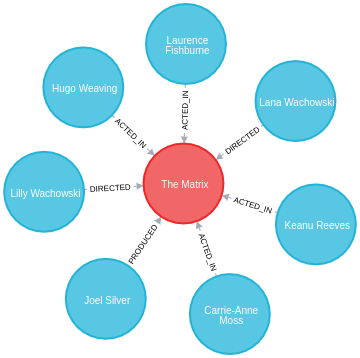
本节中的示例基于以下示例图
CREATE (TheMatrix:Movie {title:'The Matrix', released:1999, tagline:'Welcome to the Real World'})
CREATE (Keanu:Person {name:'Keanu Reeves', born:1964})
CREATE (Carrie:Person {name:'Carrie-Anne Moss', born:1967})
CREATE (Laurence:Person {name:'Laurence Fishburne', born:1961})
CREATE (Hugo:Person {name:'Hugo Weaving', born:1960})
CREATE (LillyW:Person {name:'Lilly Wachowski', born:1967})
CREATE (LanaW:Person {name:'Lana Wachowski', born:1965})
CREATE (JoelS:Person {name:'Joel Silver', born:1952})
CREATE
(Keanu)-[:ACTED_IN {roles:['Neo']}]->(TheMatrix),
(Carrie)-[:ACTED_IN {roles:['Trinity']}]->(TheMatrix),
(Laurence)-[:ACTED_IN {roles:['Morpheus']}]->(TheMatrix),
(Hugo)-[:ACTED_IN {roles:['Agent Smith']}]->(TheMatrix),
(LillyW)-[:DIRECTED]->(TheMatrix),
(LanaW)-[:DIRECTED]->(TheMatrix),
(JoelS)-[:PRODUCED]->(TheMatrix);
下面的 Neo4j Browser 可视化显示了导入的图
导出为 Cypher Shell 格式
默认情况下,通过导出到 Cypher 过程生成的 Cypher 语句采用 Cypher Shell 格式。
以下查询将整个数据库导出到 all.cypher,采用默认的 cypher-shell 格式并使用默认的 UNWIND_BATCH 优化
// default config populated for illustration
CALL apoc.export.cypher.all("all.cypher", {
    format: "cypher-shell",
    useOptimizations: {type: "UNWIND_BATCH", unwindBatchSize: 20}
})
YIELD file, batches, source, format, nodes, relationships, properties, time, rows, batchSize
RETURN file, batches, source, format, nodes, relationships, properties, time, rows, batchSize;| file | batches | source | format | nodes | relationships | properties | time | rows | batchSize |
|---|---|---|---|---|---|---|---|---|---|
"all.cypher" |
1 |
"database: nodes(8), rels(7)" |
"cypher" |
8 |
7 |
21 |
10 |
15 |
20000 |
all.cypher 的内容(为便于阅读添加了额外行)如下所示
:begin
CREATE CONSTRAINT uniqueConstraint FOR (node:`UNIQUE IMPORT LABEL`) REQUIRE (node.`UNIQUE IMPORT ID`) IS UNIQUE;
:commit

:begin
UNWIND [{_id:0, properties:{tagline:"Welcome to the Real World", title:"The Matrix", released:1999}}] AS row
CREATE (n:`UNIQUE IMPORT LABEL`{`UNIQUE IMPORT ID`: row._id}) SET n += row.properties SET n:Movie;

UNWIND [{_id:1, properties:{born:1964, name:"Keanu Reeves"}}, {_id:2, properties:{born:1967, name:"Carrie-Anne Moss"}}, {_id:3, properties:{born:1961, name:"Laurence Fishburne"}}, {_id:4, properties:{born:1960, name:"Hugo Weaving"}}, {_id:5, properties:{born:1967, name:"Lilly Wachowski"}}, {_id:6, properties:{born:1965, name:"Lana Wachowski"}}, {_id:7, properties:{born:1952, name:"Joel Silver"}}] AS row
CREATE (n:`UNIQUE IMPORT LABEL`{`UNIQUE IMPORT ID`: row._id}) SET n += row.properties SET n:Person;
:commit

:begin
UNWIND [{start: {_id:1}, end: {_id:0}, properties:{roles:["Neo"]}}, {start: {_id:2}, end: {_id:0}, properties:{roles:["Trinity"]}}, {start: {_id:3}, end: {_id:0}, properties:{roles:["Morpheus"]}}, {start: {_id:4}, end: {_id:0}, properties:{roles:["Agent Smith"]}}] AS row
MATCH (start:`UNIQUE IMPORT LABEL`{`UNIQUE IMPORT ID`: row.start._id})
MATCH (end:`UNIQUE IMPORT LABEL`{`UNIQUE IMPORT ID`: row.end._id})
CREATE (start)-[r:ACTED_IN]->(end) SET r += row.properties;

UNWIND [{start: {_id:7}, end: {_id:0}, properties:{}}] AS row
MATCH (start:`UNIQUE IMPORT LABEL`{`UNIQUE IMPORT ID`: row.start._id})
MATCH (end:`UNIQUE IMPORT LABEL`{`UNIQUE IMPORT ID`: row.end._id})
CREATE (start)-[r:PRODUCED]->(end) SET r += row.properties;

UNWIND [{start: {_id:5}, end: {_id:0}, properties:{}}, {start: {_id:6}, end: {_id:0}, properties:{}}] AS row
MATCH (start:`UNIQUE IMPORT LABEL`{`UNIQUE IMPORT ID`: row.start._id})
MATCH (end:`UNIQUE IMPORT LABEL`{`UNIQUE IMPORT ID`: row.end._id})
CREATE (start)-[r:DIRECTED]->(end) SET r += row.properties;
:commit

:begin
MATCH (n:`UNIQUE IMPORT LABEL`)  WITH n LIMIT 20000 REMOVE n:`UNIQUE IMPORT LABEL` REMOVE n.`UNIQUE IMPORT ID`;
:commit

:begin
DROP CONSTRAINT uniqueConstraint;
:commit
此 Cypher 脚本执行 5 个事务,每个事务都由 :begin 和 :commit 命令包围。这些事务执行以下操作
-
在
UNIQUE IMPORT LABEL标签和UNIQUE IMPORT ID属性上创建唯一约束 -
导入
Person和Movie节点 -
在这些节点之间创建
ACTED_IN、PRODUCED和DIRECTED关系 -
从节点中移除
UNIQUE IMPORT LABEL标签和UNIQUE IMPORT ID属性 -
删除
UNIQUE IMPORT LABEL标签和UNIQUE IMPORT ID属性上的唯一约束
此脚本可以使用 Cypher Shell 命令行工具执行。
例如,我们可以通过运行以下命令将 all.cypher 的内容导入 Neo4j Aura 数据库
cat all.cypher | ./bin/cypher-shell -a <bolt-url> -u neo4j -p <password> --format verbose|
不要忘记将 <bolt-url> 和 <password> 替换为相应的凭据。 |
如果我们在一个空数据库上运行此命令,将看到以下输出
0 rows available after 70 ms, consumed after another 0 ms
Added 1 constraints
0 rows available after 16 ms, consumed after another 0 ms
Added 2 nodes, Set 8 properties, Added 4 labels
0 rows available after 40 ms, consumed after another 0 ms
Added 14 nodes, Set 42 properties, Added 28 labels
0 rows available after 51 ms, consumed after another 0 ms
Created 8 relationships, Set 8 properties
0 rows available after 38 ms, consumed after another 0 ms
Created 2 relationships
0 rows available after 38 ms, consumed after another 0 ms
Created 4 relationships
0 rows available after 20 ms, consumed after another 0 ms
Set 16 properties, Removed 16 labels
0 rows available after 3 ms, consumed after another 0 ms
Removed 1 constraints|
故障排除
如果您正在尝试导入并遇到失败,可以添加 同时检查您的 Neo4j 实例的内存配置,您可能希望在 我们还可以通过在命令前加上: |
如果我们没有文件系统访问权限,或者由于其他原因不想写入文件,我们可以流式传输回导出的语句。
以下查询将整个数据库流式传输回 cypherStatements 列
CALL apoc.export.cypher.all(null, {
    batchSize: 5,
    streamStatements: true,
    format: "cypher-shell",
    useOptimizations: {type: "UNWIND_BATCH", unwindBatchSize: 5}
})
YIELD nodes, relationships, properties, cypherStatements
RETURN nodes, relationships, properties, cypherStatements;| nodes | relationships | properties | cypherStatements |
|---|---|---|---|
16 |
0 |
34 |
":begin CREATE CONSTRAINT uniqueConstraint FOR (node:`UNIQUE IMPORT LABEL`) REQUIRE (node. |
16 |
14 |
42 |
":begin UNWIND [{start: {_id:35}, end: {_id:0}, properties:{roles:[\"Trinity\"]}}, {start: {_id:36}, end: {_id:0}, properties:{roles:[\"Morpheus\"]}}, {start: {_id:50}, end: {_id:1}, properties:{roles:[\"Agent Smith\"]}}, {start: {_id:40}, end: {_id:0}, properties:{roles:[\"Agent Smith\"]}}, {start: {_id:51}, end: {_id:1}, properties:{roles:[\"Neo\"]}}] AS row MATCH (start:`UNIQUE IMPORT LABEL`{ |
16 |
14 |
42 |
":begin MATCH (n:`UNIQUE IMPORT LABEL`) WITH n LIMIT 5 REMOVE n:`UNIQUE IMPORT LABEL` REMOVE n. |
然后,我们可以将 cypherStatements 列的内容(不包括双引号)复制/粘贴到 Cypher Shell 会话中,或者复制到我们流式传输到 Cypher Shell 会话的本地文件中。
导出为 Neo4j Browser 友好格式
导出到 Cypher 的过程支持配置 format: "plain",这对于稍后使用 Neo4j Browser 导入非常有用。
以下查询将整个数据库导出到 all-plain.cypher
CALL apoc.export.cypher.all("all-plain.cypher", {
    format: "plain",
    useOptimizations: {type: "UNWIND_BATCH", unwindBatchSize: 20}
})
YIELD file, batches, source, format, nodes, relationships, properties, time, rows, batchSize
RETURN file, batches, source, format, nodes, relationships, properties, time, rows, batchSize;| file | batches | source | format | nodes | relationships | properties | time | rows | batchSize |
|---|---|---|---|---|---|---|---|---|---|
"all-plain.cypher" |
1 |
"database: nodes(8), rels(7)" |
"cypher" |
8 |
7 |
21 |
9 |
15 |
20000 |
all-plain.cypher 的内容(为便于阅读添加了额外行)如下所示
CREATE CONSTRAINT uniqueConstraint FOR (node:`UNIQUE IMPORT LABEL`) REQUIRE (node.`UNIQUE IMPORT ID`) IS UNIQUE;

UNWIND [{_id:0, properties:{tagline:"Welcome to the Real World", title:"The Matrix", released:1999}}] AS row
CREATE (n:`UNIQUE IMPORT LABEL`{`UNIQUE IMPORT ID`: row._id}) SET n += row.properties SET n:Movie;

UNWIND [{_id:1, properties:{born:1964, name:"Keanu Reeves"}}, {_id:2, properties:{born:1967, name:"Carrie-Anne Moss"}}, {_id:3, properties:{born:1961, name:"Laurence Fishburne"}}, {_id:4, properties:{born:1960, name:"Hugo Weaving"}}, {_id:5, properties:{born:1967, name:"Lilly Wachowski"}}, {_id:6, properties:{born:1965, name:"Lana Wachowski"}}, {_id:7, properties:{born:1952, name:"Joel Silver"}}] AS row
CREATE (n:`UNIQUE IMPORT LABEL`{`UNIQUE IMPORT ID`: row._id}) SET n += row.properties SET n:Person;

UNWIND [{start: {_id:1}, end: {_id:0}, properties:{roles:["Neo"]}}, {start: {_id:2}, end: {_id:0}, properties:{roles:["Trinity"]}}, {start: {_id:3}, end: {_id:0}, properties:{roles:["Morpheus"]}}, {start: {_id:4}, end: {_id:0}, properties:{roles:["Agent Smith"]}}] AS row
MATCH (start:`UNIQUE IMPORT LABEL`{`UNIQUE IMPORT ID`: row.start._id})
MATCH (end:`UNIQUE IMPORT LABEL`{`UNIQUE IMPORT ID`: row.end._id})
CREATE (start)-[r:ACTED_IN]->(end) SET r += row.properties;

UNWIND [{start: {_id:7}, end: {_id:0}, properties:{}}] AS row
MATCH (start:`UNIQUE IMPORT LABEL`{`UNIQUE IMPORT ID`: row.start._id})
MATCH (end:`UNIQUE IMPORT LABEL`{`UNIQUE IMPORT ID`: row.end._id})
CREATE (start)-[r:PRODUCED]->(end) SET r += row.properties;

UNWIND [{start: {_id:5}, end: {_id:0}, properties:{}}, {start: {_id:6}, end: {_id:0}, properties:{}}] AS row
MATCH (start:`UNIQUE IMPORT LABEL`{`UNIQUE IMPORT ID`: row.start._id})
MATCH (end:`UNIQUE IMPORT LABEL`{`UNIQUE IMPORT ID`: row.end._id})
CREATE (start)-[r:DIRECTED]->(end) SET r += row.properties;

MATCH (n:`UNIQUE IMPORT LABEL`)  WITH n LIMIT 20000 REMOVE n:`UNIQUE IMPORT LABEL` REMOVE n.`UNIQUE IMPORT ID`;

DROP CONSTRAINT uniqueConstraint;
然后,我们可以将 all-plain.cypher 文件拖放到 Neo4j Browser 窗口中。此时应该会看到以下提示

如果我们点击 Paste in editor,文件内容将出现在查询编辑器中
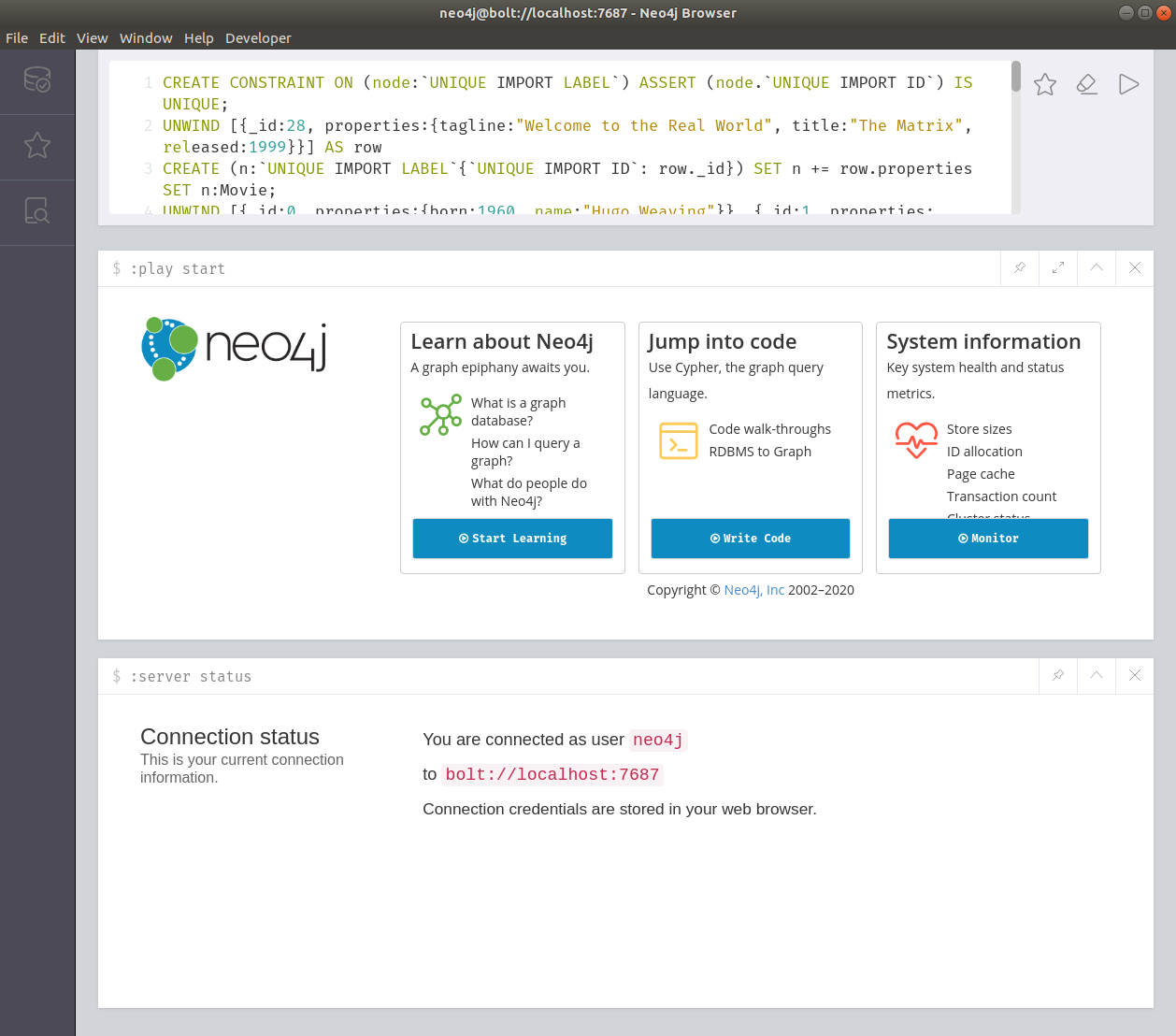
all-plain.cypher 内容的 Neo4j Browser 查询编辑器然后,我们可以点击编辑器中的播放按钮,数据将被导入。