快速入门#
如果您对 Liquibase 概念不熟悉,请从此处开始。
设置#
本教程的剩余部分假设已进行 CLI 安装,并且有一个正在运行的 Neo4j 数据库。请参阅下载章节以安装扩展。
有多种方式来安装 Neo4j
- 在云端 ☁️ 使用 Neo4j AuraDB
- 在云端 ☁️ 使用 Neo4j Sandbox
- 本地 🏠 使用 Neo4j Desktop
- 本地 🏠 使用 Docker
从现在开始,教程假设 Neo4j 运行在 URI bolt://,用户为 neo4j,密码为(并不)安全的 changeme。
变更日志#
本教程的其余部分假设变更日志写在 XML 文件 changeLog.xml 中,下面列出了一些 支持的格式
<?xml version="1.0" encoding="UTF-8"?>
<databaseChangeLog xmlns:xsi="http://www.w3.org/2001/XMLSchema-instance"
                   xmlns="http://www.liquibase.org/xml/ns/dbchangelog"
                   xmlns:neo4j="http://www.liquibase.org/xml/ns/dbchangelog-ext"
                   xsi:schemaLocation="http://www.liquibase.org/xml/ns/dbchangelog http://www.liquibase.org/xml/ns/dbchangelog/dbchangelog-latest.xsd">

    <changeSet id="my-movie-init" author="fbiville">
        <neo4j:cypher>CREATE (:Movie {title: 'My Life'})</neo4j:cypher>
    </changeSet>
</databaseChangeLog>
--liquibase formatted cypher
--changeset fbiville:my-movie-init
CREATE (:Movie {title: 'My Life'})
{"databaseChangeLog": [
    {"changeSet": {
        "id": "my-movie-init",
        "author": "fbiville",
        "changes": [
            {"cypher": "CREATE (:Movie {title: 'My Life', genre: 'Comedy'})"}
        ]
    }}
]}
databaseChangeLog:
- changeSet:
    id: my-movie-init
    author: fbiville
    changes:
    - cypher: 'CREATE (:Movie {title: ''My Life'', genre: ''Comedy''})'
这会创建一个标签为 Movie 的节点,且只有一个属性,键为 title,值为字符串 My Life。
提示
如果您对这些图数据库概念不熟悉,请前往此处了解更多。
试运行#
这就是 updateSQL 命令(一个更少面向 RDBMS 的名称正在 考虑中)。执行试运行是提前检测错误的好方法,能够在更改实际写入数据库之前查看所有将要执行的查询。
liquibase --url jdbc:neo4j:bolt:// \
          --username neo4j \
          --password changeme \
          --changeLogFile changeLog.xml \
          updateSQL
(截断的)输出类似于
Liquibase Community 5.0.0 by Datical
####################################################
##   _     _             _ _                      ##
##  | |   (_)           (_) |                     ##
##  | |    _  __ _ _   _ _| |__   __ _ ___  ___   ##
##  | |   | |/ _` | | | | | '_ \ / _` / __|/ _ \  ##
##  | |___| | (_| | |_| | | |_) | (_| \__ \  __/  ##
##  \_____/_|\__, |\__,_|_|_.__/ \__,_|___/\___|  ##
##              | |                               ##
##              |_|                               ##
##                                                ##
##  Get documentation at docs.liquibase.com       ##
##  Get certified courses at learn.liquibase.com  ##
##  Free schema change activity reports at        ##
##      https://hub.liquibase.com                 ##
##                                                ##
####################################################
Starting Liquibase (version 5.0.0)
-- *********************************************************************
-- Update Database Script
-- *********************************************************************
-- Change Log: changeLog.xml
-- Against: neo4j@jdbc:neo4j:bolt://
-- Liquibase version: 5.0.0
-- *********************************************************************

[...]

-- Changeset changeLog.xml::my-movie-init::fbiville
CREATE (:Movie {title: 'My Life'});

[...]

Liquibase command 'updateSQL' was executed successfully.
运行#
这是 update 命令。
liquibase --url jdbc:neo4j:bolt:// \
          --username neo4j \
          --password changeme \
          --changeLogFile changeLog.xml \
          update
输出应类似于
Liquibase Community 5.0.0 by Datical
####################################################
##   _     _             _ _                      ##
##  | |   (_)           (_) |                     ##
##  | |    _  __ _ _   _ _| |__   __ _ ___  ___   ##
##  | |   | |/ _` | | | | | '_ \ / _` / __|/ _ \  ##
##  | |___| | (_| | |_| | | |_) | (_| \__ \  __/  ##
##  \_____/_|\__, |\__,_|_|_.__/ \__,_|___/\___|  ##
##              | |                               ##
##              |_|                               ##
##                                                ##
##  Get documentation at docs.liquibase.com       ##
##  Get certified courses at learn.liquibase.com  ##
##  Free schema change activity reports at        ##
##      https://hub.liquibase.com                 ##
##                                                ##
####################################################
Starting Liquibase (version 5.0.0)
Liquibase: Update has been successful.
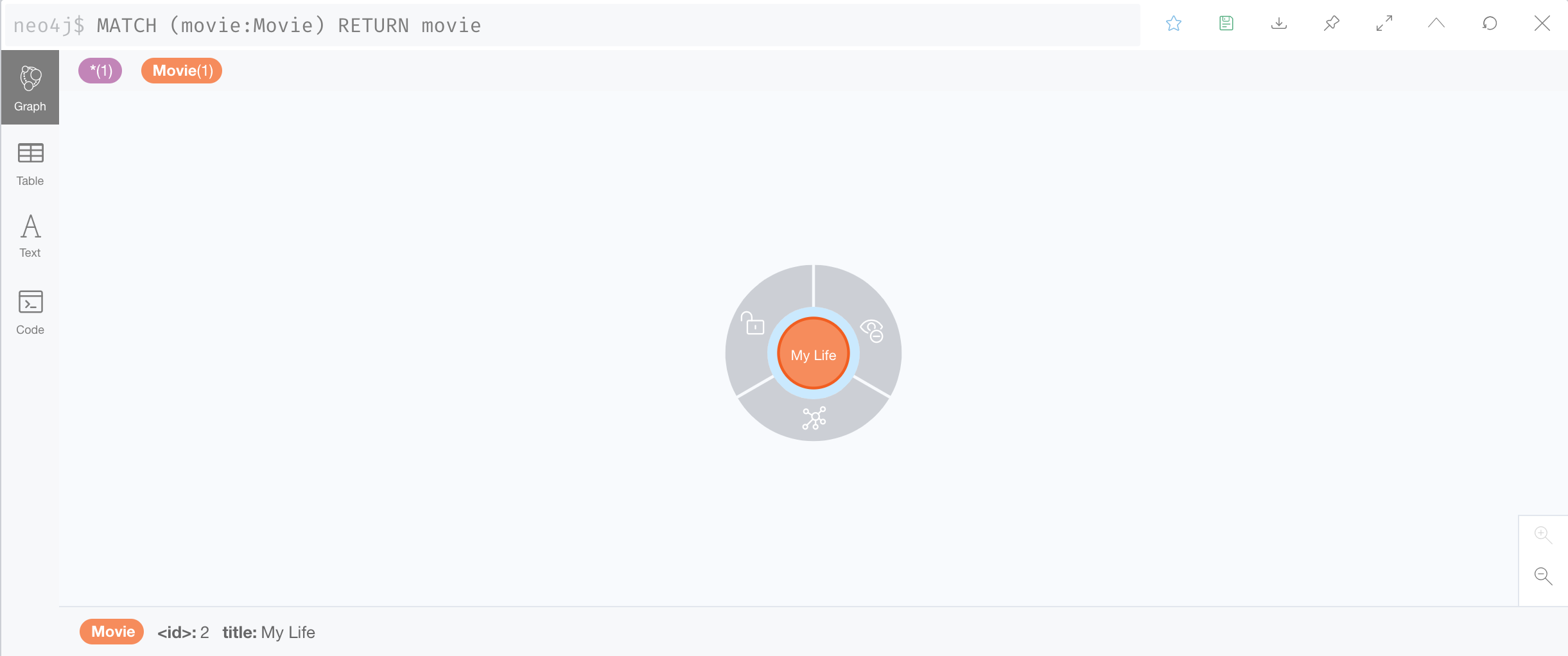
查看数据库,检查是否已经创建了 Movie 节点。
根据您的 Neo4j 部署方式,打开 Neo4j Browser 的方式可能有以下几种:
- 前往 Neo4j Aura,找到您的实例并点击 “Open with” 按钮,选择 Neo4j Browser
- 前往 Neo4j Sandbox,找到您的实例并点击 “Open” 按钮
- 直接访问 https://:7474(Docker)
- 打开 Neo4j Desktop,选择您的项目并点击 “Open” 按钮
Neo4j Browser 打开后,运行 MATCH (movie:Movie) RETURN movie 查询,您应看到如下结果。
如果再次运行相同的 update 命令会怎样?
让我们来看看
liquibase --url jdbc:neo4j:bolt:// \
          --username neo4j \
          --password changeme \
          --changeLogFile changeLog.xml \
          update
输出应类似于
Liquibase Community 5.0.0 by Datical
####################################################
##   _     _             _ _                      ##
##  | |   (_)           (_) |                     ##
##  | |    _  __ _ _   _ _| |__   __ _ ___  ___   ##
##  | |   | |/ _` | | | | | '_ \ / _` / __|/ _ \  ##
##  | |___| | (_| | |_| | | |_) | (_| \__ \  __/  ##
##  \_____/_|\__, |\__,_|_|_.__/ \__,_|___/\___|  ##
##              | |                               ##
##              |_|                               ##
##                                                ##
##  Get documentation at docs.liquibase.com       ##
##  Get certified courses at learn.liquibase.com  ##
##  Free schema change activity reports at        ##
##      https://hub.liquibase.com                 ##
##                                                ##
####################################################
Starting Liquibase (version 5.0.0)
Liquibase: Update has been successful.
再次查看数据库。
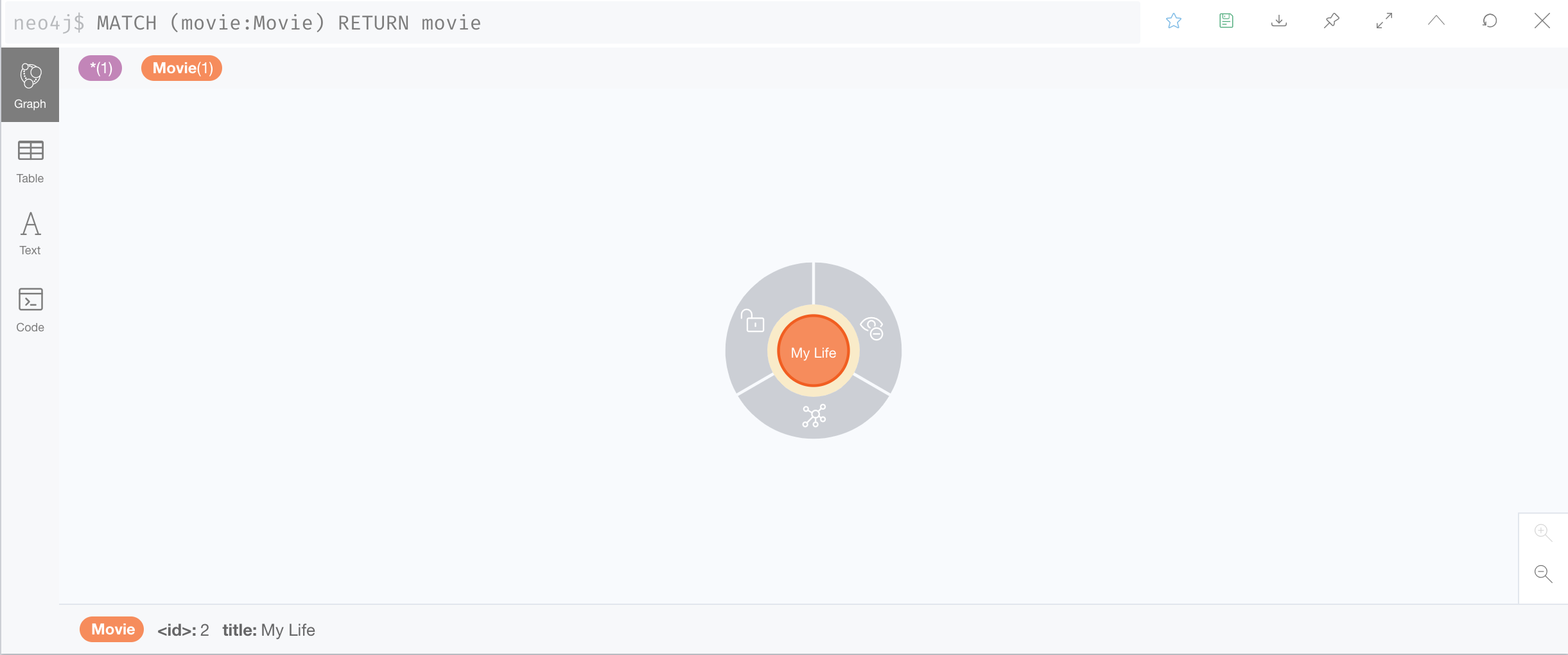
没有任何变化!
这正是设计所致。实际上,变更集默认是增量的,即只会执行一次。
数据库实际上包含超过 1 个节点
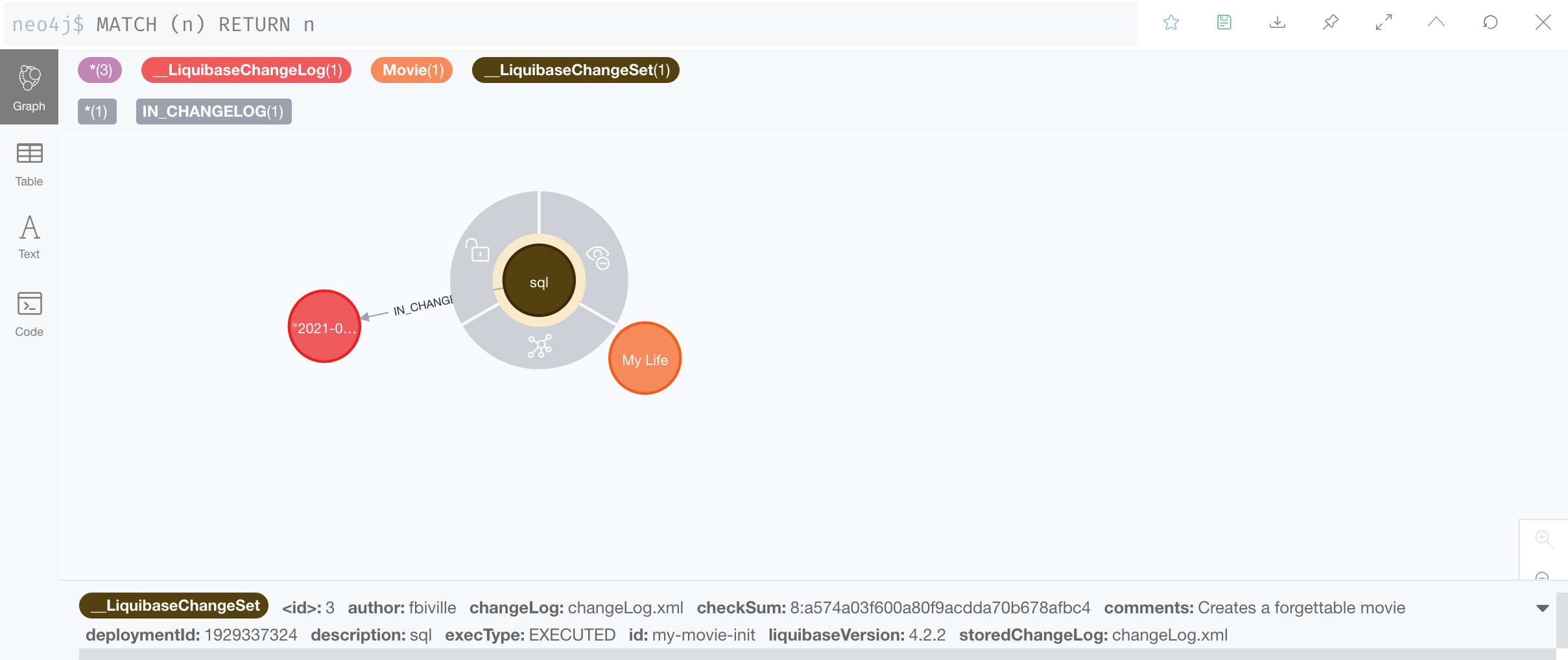
插件会将 变更日志历史 存储在同一个数据库中。这就是 Liquibase 记住不重新运行增量变更集的方式。
细心的读者可能已经注意到 __LiquibaseChangeSet 节点上有一个 checkSum 属性。该属性用于确保自上次运行后变更集未被修改。
阅读 参考文档 以获取更多信息。